Made by a songwriter, for songwriters.
Made by a songwriter, for songwriters.
Recover your
backlog of
great songs.
Unstrander transforms years of voice memos into a searchable music library—with descriptive titles, transcribed lyrics, and tools to organize and develop your songs.
Try 15 recordings free, then buy it once. No subscription.
You recorded it.
Now where is it?
- PrivacyUnstrander transcribes your recordings right on your computer—no external AI used or needed.
- OrganizationHeart a song to keep it, archive it to clear out the dead wood, or hold it for later.
- RediscoveryUnstrander helps you find your lost work quickly and simply.
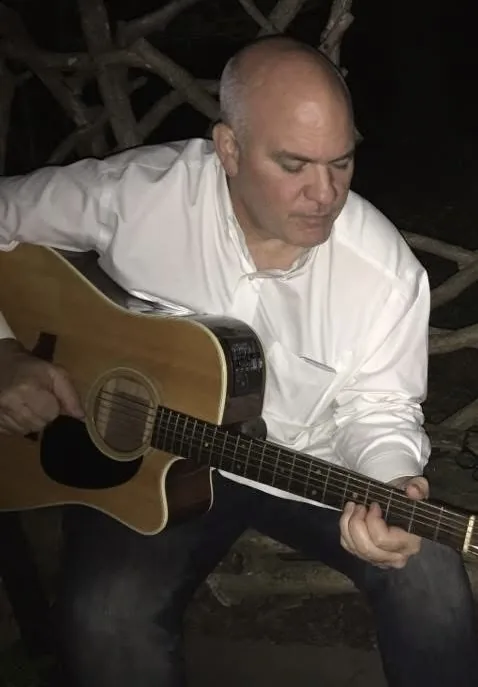
“Unstrander primarily helps me rediscover the ideas I recorded in Voice Memos while driving or walking, when it’s inconvenient to title them. The transcriptions give me a head start at completing the songs—super helpful. That’s why I made it.”
Find out what's in your recordings.
Unstrander for Mac
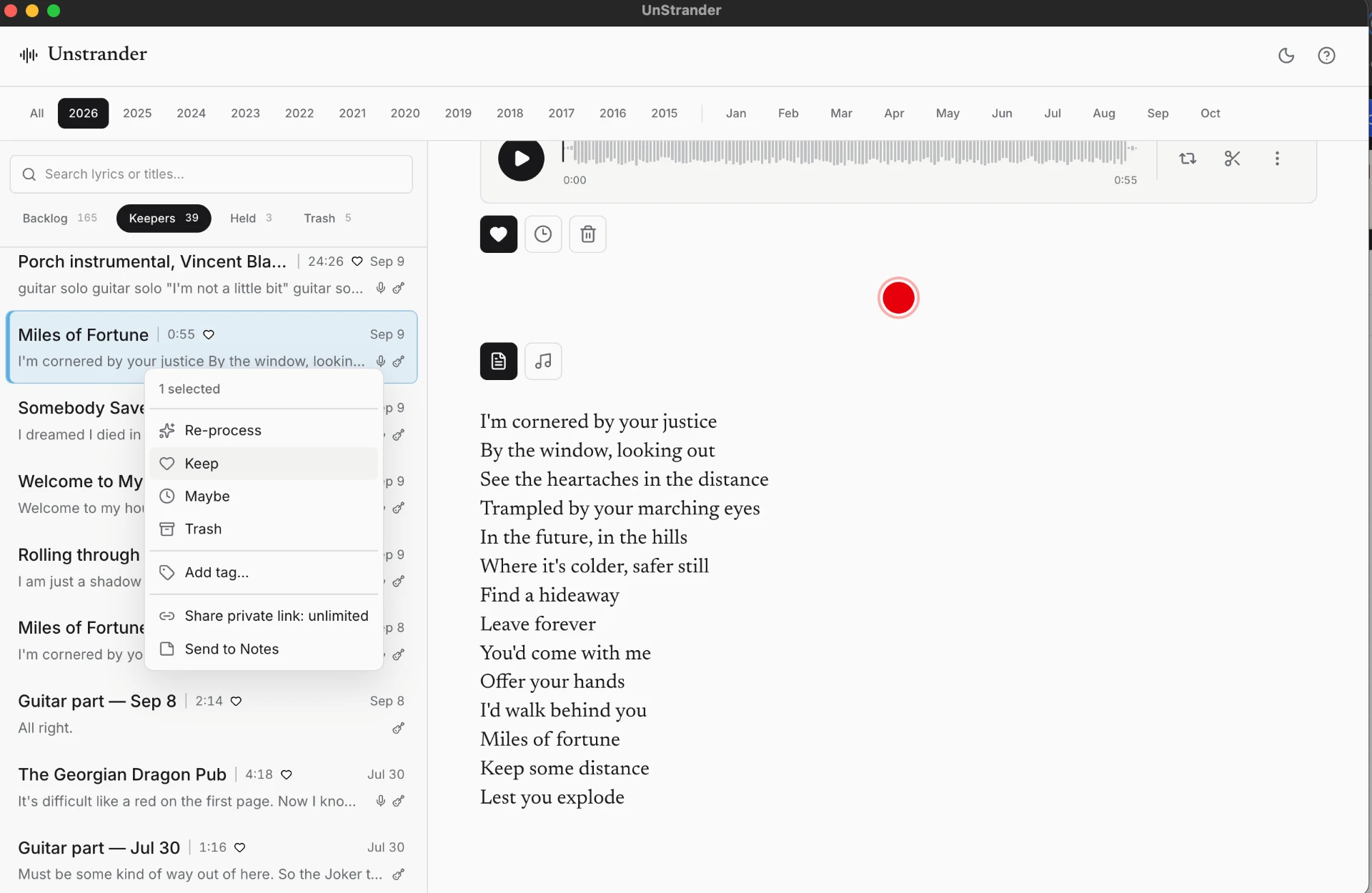
Title & Transcribe
Unstrander gives your tunes descriptive titles so you can more easily recognize what might be in them, and leaves a transcript to get you started on refining.
Improve
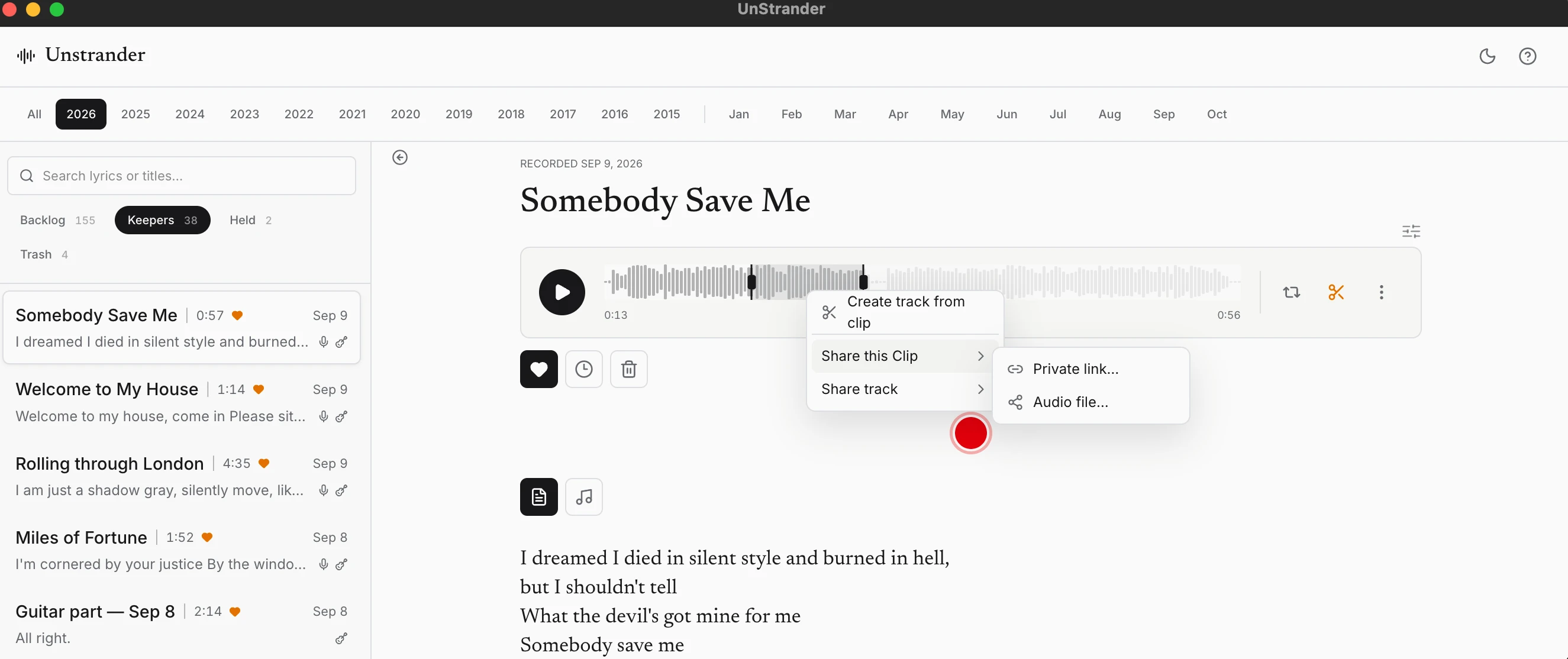
Edit and correct your lyrics in place, or export them to Apple Notes. Record new takes.
Organize
Search, filter, and decide which songs are worth revisiting.
Share
Share private links to your audio. The links are encrypted—even we can't listen to them!
Your next great song might already be there.
- A lost melody, found.
- The powerful lyric, rediscovered.
- The once-in-a-lifetime lick from that campfire last summer, uncovered.
Unstrander helps you find out.
Songwriting Workspace
Found something good? Keep working on it.
Retitle your tracks, edit lyrics, add chords above your lyrics, and organize the songs you want to finish. Record new takes. Develop songs. Share clips or the whole track—privately.
Unstrander is a place for song development—it's not intended to be a multitrack recording studio. It's just a temporary space along your journey to help you recover and complete your musical ideas.
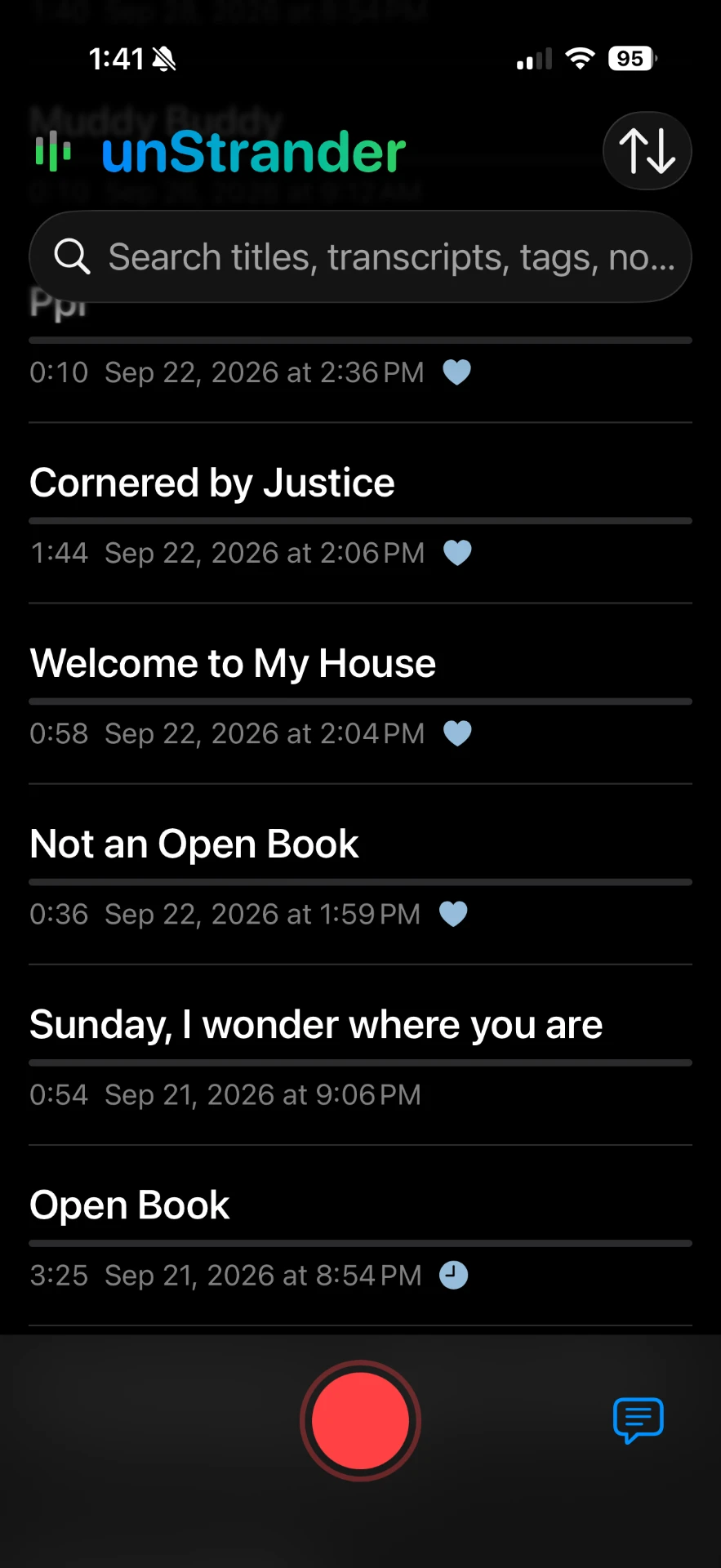
The iPhone companion · Coming soon
Take your songs with you.
The iPhone app is on its way. With it you can record new songs on your iPhone, keep working on them on your Mac, and listen to your progress on the go.
- Record new ideas.
- Listen to your Unstrander library.
- Share tracks and clips.
- Automatically sync recordings between Mac and iPhone.
Or you can keep using Apple's Voice Memos!
Lost & Found. Open 24/7.
Pay once. No subscription.
Free Trial
No credit card required to try.
- Titles and lyrics for 15 recordings.
- Edit and share those 15 recordings.
- Listen to, browse and search all your recordings.
- No time limit.
System requirements
- A Mac with Apple silicon (M1 or later)
- macOS 26 or later
- About 3 GB for the on-device models, downloaded once during setup
Launch price
Unlimited Discovery
One-time purchase, after the free trial
- Transcribes 100% of your Voice Memos Backlog.
- Re-titling to make discovery of past work easier.
- Lyric development workspace.
- Ongoing transcription and titling.
- No external AI used—it all stays on your Mac, unless you share.
No card required to try.
About AI: Your songs are yours.
We don't train our software on your work. When you share a recording with a private link, it's encrypted on your Mac. You control what you keep and what you share.
Questions songwriters ask
Do I have to stop using Apple Voice Memos?
No. Keep recording the way you always have. Unstrander for Mac reads your Voice Memos where they are, without moving or changing them. You can optionally use Unstrander for iPhone when it's ready, but you are not tied to it.
Will Unstrander change my original recordings?
No. Your Voice Memos recordings stay as they are.
How good is the transcription?
Spoken words come out very well (pretty, pretty good); words sung over a loud guitar are usable but need some editing. Quality depends on the clarity of the recording. Unstrander does not overwrite existing transcriptions, which more recent iPhones might have.
Transcribing Voice Memos on a Mac, and why sung lyrics are hard
Is this a recording studio?
No. It's a place to discover, organize, listen to, and develop your songs—not a replacement for Logic, GarageBand, or other production software.
Do I need an iPhone?
No. The Mac app works on its own. An iPhone app is coming but it's not required—it's just a convenient way to listen to your progress on the go, or to record new takes.
Is there a subscription?
No, no, noooo, no, no! Unstrander is a one-time purchase. We're (the royal we) sooo tired of subscriptions, and we suspect you are, too. Updates are free. Bug fixes are free. Future major features might be free, or offered as reasonably priced upgrades. If we ever change our pricing, it won't change the deal you made with us. The version you buy is yours to keep using.
Does it work on an Intel Mac or on Windows?
No. Unstrander needs a Mac with Apple silicon (M1 or later) running macOS 26 or later. It doesn't run on Intel Macs, older versions of macOS, or Windows.
Are my recordings uploaded anywhere?
No. Transcription and titling run on your Mac, with Apple's speech recognition and open-source models downloaded once during setup. A recording leaves your Mac only if you share it with a private link, and then it's encrypted on your Mac first.
How long does a backlog of hundreds of memos take?
It depends on your Mac and how long your recordings are: on an Apple silicon MacBook Pro, transcribing a typical 3 to 9 minute take takes well under a minute. That's the transcription step alone; titling takes a little extra, and times vary by Mac. A big library works through in the background while you browse and play what's done.
What does it do with a memo that's just guitar?
It titles it by what it hears, such as Instrumental, so you can still find and filter it. There are no words to transcribe, so there's no transcript.
Do I need iCloud?
Only to get your iPhone's recordings onto your Mac. Unstrander reads the Voice Memos on your Mac; turning on Voice Memos in iCloud on your iPhone and your Mac is the usual way they get there.
Your Voice Memos are not backed up. Getting them safely onto your Mac
Do the new titles show up in Voice Memos?
No. Unstrander never changes your Voice Memos, so the titles and transcripts live in Unstrander. Titles you already gave recordings are kept; only names like "New Recording 12" get new ones.
What's in the free trial?
Titles and lyrics for 15 recordings, with no time limit and no credit card. You can also browse, play and search your whole library, and edit and share those 15 recordings.
Now find your unfinished ideas
Give your Voice Memos useful titles, rediscover the ideas worth finishing, and get back to your songs.